

Every help desk ticket starts long before it is logged. It begins in a quiet moment when a user pauses, rereads a label, hesitates before clicking a button, or wonders if they are doing the right thing. That pause is subtle. It rarely feels urgent to the user at first. But it is the earliest sign of a confusion point—and if left unresolved, it eventually turns into a support request.
By the time confusion reaches your help desk, the experience has already failed in a small but important way. Professional usability testing exists to catch these moments early, while they are still invisible, manageable, and inexpensive to fix.

Understanding Confusion Points in Digital Experiences
A confusion point is not always a broken feature or a technical bug. More often, it is a mismatch between what the user expects and what the product delivers. The interface may technically work perfectly, yet still leave users uncertain, hesitant, or mentally fatigued.
Users may not articulate this confusion clearly. Instead, they adapt. They click around, try multiple paths, avoid certain features, or eventually reach out to support. In many cases, they never complain at all—they simply unlock. This is why confusion points are so dangerous. They don’t announce themselves loudly. They quietly erode confidence.
Why Help Desk Tickets Show the Problem Too Late
Help desk data is valuable, but it tells only part of the story. Support tickets represent users who were motivated enough to ask for help. They don’t capture the silent majority who struggled, felt unsure, or abandoned a task without reporting it.
Even when users do raise tickets, the issue is often described in surface-level terms. A question like “How do I generate this report?” may seem straightforward, but it often hides deeper usability issues such as unclear navigation, unfamiliar terminology, or a workflow that doesn’t match user expectations.
Professional testing focuses on what happens before users decide they need help. That timing makes all the difference.
Observing Real Behaviour Reveals Hidden Struggles
One of the most powerful aspects of professional usability testing is simple observation. Users are asked to complete realistic tasks without guidance. Testers watch how they move through the interface, where they hesitate, and what paths they choose instinctively.
These observations uncover moments that never appear in analytics or support logs. A user might eventually complete a task successfully, but only after unnecessary diversions, repeated attempts, or visible uncertainty. From a metrics standpoint, this looks like success. From a usability standpoint, it signals friction.
Professional testing treats these moments as critical insights, not minor inefficiencies.
Listening to What Users Think While They Interact
When users verbalize their thoughts during testing, confusion becomes even more apparent. Statements like “I expected this to do something else” or “I’m not sure if this saved correctly” reveal mental models that the interface fails to support.
These comments rarely translate into immediate help desk tickets, yet they represent future problems waiting to surface. Testing captures confusion while it is still forming, allowing teams to resolve it before frustration sets in.
This early insight is something no post-launch support analysis can fully replicate.
Exposing Assumptions Built into the Design
Every digital product carries assumptions made by its creators. Designers assume users understand certain terms, recognize icons, or follow a specific workflow. Developers assume feedback messages are clear enough. Product teams assume users will explore and learn organically.
Professional testing challenges these assumptions by placing the product in the hands of real users with no prior context. When those assumptions fail, confusion emerges quickly. Users may misinterpret labels, overlook important actions, or misunderstand system feedback. Identifying these assumption gaps early prevents a cascade of future support issues and training dependencies.
Catching False Confidence Before It Causes Damage
Not all confusion looks like hesitation. Sometimes users act confidently—and incorrectly. They choose the wrong option believing it is the right one, misread confirmation messages, or complete a task in a way that creates downstream problems.
These are some of the costliest confusion points because users don’t realize they need help until much later. By then, the issue has escalated beyond a simple usability fix.
Professional testing is uniquely effective at identifying these false confidence moments, because testers can compare user intent with actual outcomes in real time.
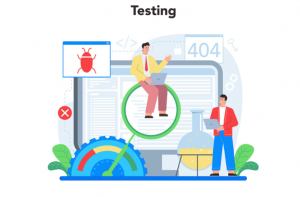
Measuring Effort, Not Just Completion
Professional testing looks beyond whether a task was completed. It examines how much effort it took. Tasks that require excessive time, repeated actions, or visible frustration may technically work, but they place an unnecessary cognitive load on users.
Over time, this mental effort translates into increased support dependency. Users become less confident, less willing to explore features, and more likely to seek reassurance from help desks. By recognizing these effort-heavy interactions early, organizations can simplify experiences before they become support liabilities.
Testing with the Right Users, Not Just the Right Scenarios
Internal teams often test products with people who already understand the domain. Professional testing intentionally includes users with varying levels of experience, technical comfort, and familiarity with similar tools.
This broader perspective exposes confusion points that internal teams may never encounter themselves, but that support teams deal with regularly once the product reaches a wider audience. Testing with realistic users ensures that clarity scales along with adoption.
Turning Confusion into Preventive Action
The true value of professional testing lies in how findings are translated into action. Confusion points are documented clearly, prioritized by impact, and tied directly to design or content improvements. Instead of reacting to help desk tickets after launch, teams can proactively address the root causes. Over time, this reduces support volume, shortens onboarding cycles, and allows support teams to focus on meaningful assistance rather than repetitive clarification.
When Products Explain Themselves, Support Becomes Lighter
The most effective products feel self-explanatory. They guide users gently, confirm actions clearly, and reduce the need for external help.
Professional usability testing plays a critical role in achieving this. It identifies confusion while it is still quiet and correctable, keeping it out of your help desk and out of your users’ minds.
Key Takeaways
Every question your help desk receives once existed as a small moment of uncertainty in the interface. Professional testing finds those moments early, refines them thoughtfully, and removes them before they grow. This is where experienced usability testing partners like BriskWinIT Solutions make a measurable difference—helping organizations uncover hidden friction, validate user expectations, and design experiences that feel intuitive from the very first interaction.
Because the best support experience isn’t faster answers—it’s a product that rarely needs explaining.
Frequently Asked Questions (FAQs)
Confusion points are moments where users hesitate, feel uncertain, or are unsure about the next step. They often result from unclear labels, unexpected workflows, missing feedback, or mismatched user expectations. While these issues may not break functionality, they weaken user confidence and frequently lead to support requests or task abandonment.
Internal teams are deeply familiar with the product, which makes it difficult to experience it as a first-time user. Professional usability testing involves real users, structured observation, and proven methodologies that reveal confusion points internal reviews often miss.
Yes. By identifying and resolving confusion points early, usability testing prevents many common user questions from ever occurring. Clearer interfaces allow users to complete tasks independently, reducing repetitive support requests related to navigation, workflows, and feature usage.
Usability testing is valuable at every stage of the product lifecycle. Early testing validates concepts and workflows, while later testing ensures updates or enhancements don’t introduce new confusion. Continuous testing helps teams stay ahead of usability issues before they reach users or support teams.
Any product that involves user interaction benefits from usability testing, including web applications, mobile apps, SaaS platforms, enterprise software, and customer portals. Products with complex processes or multiple user roles see especially strong results.
Many users adapt quietly to confusion or abandon tasks without providing feedback. Usability testing captures real-time behaviour, hesitation, and user thought processes, uncovering friction that analytics and help desk data alone cannot reveal.
BriskWinIT Solutions provides professional usability testing services that focus on identifying hidden confusion points before they impact users or increase support load. Our user-cantered approach helps organizations create intuitive, self-explanatory digital experiences.
No. Existing products often benefit greatly from usability testing, especially when organizations experience rising support tickets, low feature adoption, or unclear user feedback. Testing helps uncover long-standing usability issues and opportunities for improvement.
The duration depends on scope, product complexity, and testing methods. However, even short usability studies can deliver high-impact insights that significantly improve user experience and reduce future support effort.
Let’s Talk
Confusion in digital products often goes unnoticed—until users start asking for help. We hope this blog helped you look at usability challenges from a new perspective.
If you’ve encountered similar confusion points in your own product or organization, we’d love for you to read, reflect, and share your thoughts and perspectives. Every experience offers a new insight, and your viewpoint could help spark meaningful conversations around better, more intuitive design.
 contactus@briskwinit.com